Qualtrics Setup
Please follow the below steps to create API-compatible projects using Qualtrics:
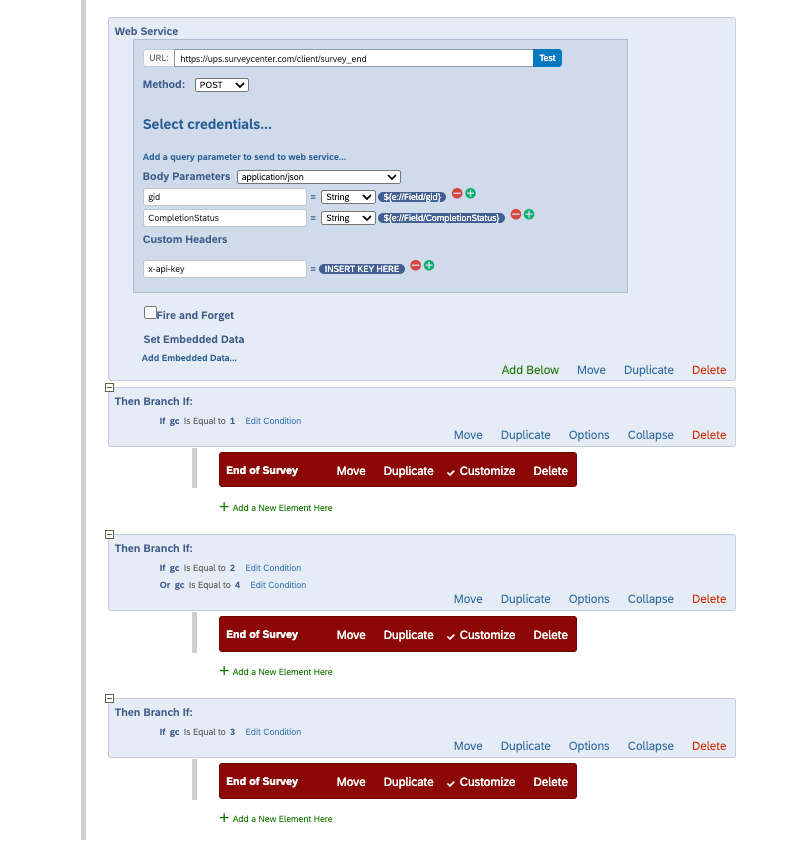
- Under “Web Service”, set the URL to https://ups.surveycenter.com/client/survey_end.
- Select “POST” for “Method:”
- For the “Select Credentials” section, select / insert the following:
- Body Parameters =
application/json - Add “gid” and “CompletionStatus” as parameters. Both with
Stringtypes - For Custom Headers, add “x-api-key” and insert your Toluna-specified key into the space provided
- Body Parameters =
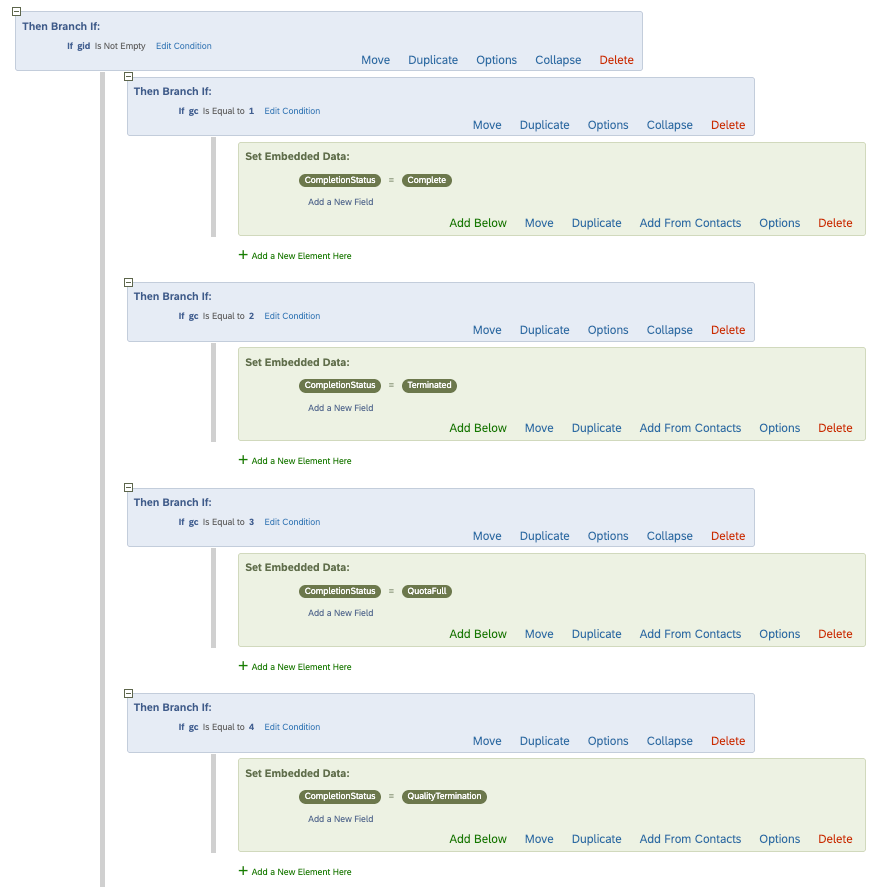
- Set Branch options to match the following screenshots: